Home / Digital Carbon Footprint
How to Reduce Carbon Footprint of Video Streaming
Every video streamed online uses electricity, from the moment it leaves a data center to the screen in your hands. As households watch more films, series, live sports and short videos, the total energy demand of streaming continues to grow. The greener internet is not about abandoning entertainment; it is about making informed choices about how we watch.
The good news is that small changes can reduce energy use without ruining the viewing experience. Resolution, autoplay and streaming time are three factors you can control. Understanding how each one matters makes it easier to build habits that fit your lifestyle and lower the carbon footprint of video streaming.
Why streaming uses energy
Streaming depends on a chain of devices and infrastructure. Your television, laptop, phone or console converts data into images and sound, using power while it does so. Behind the scenes, networks move data across cables and wireless links, while data centers store, process and deliver the video. All of these stages require electricity, and the amount used depends on how efficiently the system runs and where the electricity comes from.
Video files are large because they contain many images and a continuous audio track. The more detail a stream carries, the more data has to be stored, processed and transferred. That is why a high-resolution film uses more network and device energy than the same film in standard definition, even when the story is identical.
Resolution: detail costs energy
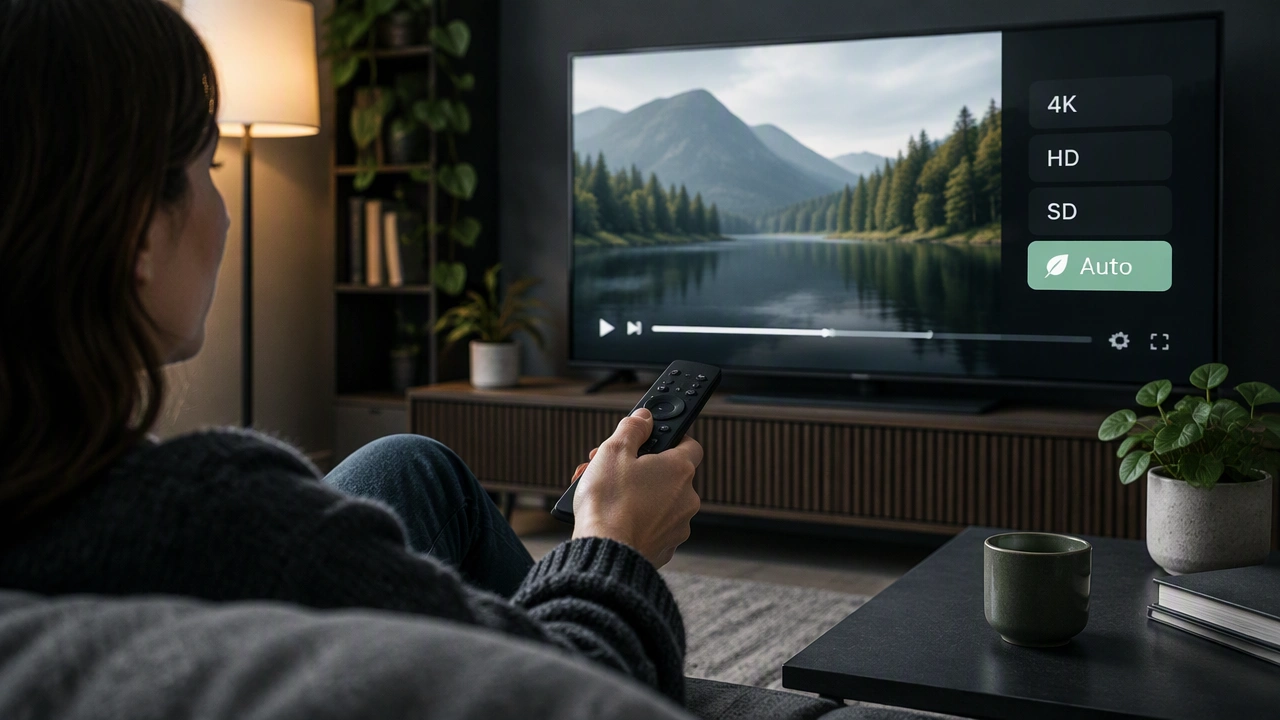
Resolution describes the number of pixels used to create the image. A 4K stream shows more pixels than a 1080p stream, which in turn carries more detail than a 720p stream. Higher resolution can look sharper on a large, high-quality screen, but the difference is often difficult to notice on a small phone or a distant laptop.
Many streaming services automatically select the best quality for your connection. That setting favors a smooth picture, but it may deliver more detail than your screen can show. Choosing 1080p instead of 4K on a smaller display can reduce data transfer while preserving a perfectly clear image. For children’s programmes, cartoons with flat colours, or casual background viewing, 720p may be enough.
Resolution is not the only factor. Compression quality, the distance between you and the screen, and the size of the display all affect how much energy a viewing session uses. The practical rule is simple: match the quality to the screen and the content rather than choosing the highest setting by default.
Autoplay: the hidden time multiplier
Autoplay is designed to remove friction. When one episode ends, the next begins immediately, encouraging you to keep watching. Each additional episode still requires data transfer and device power, even if you are not actively making a choice.
Turning off autoplay gives you a deliberate pause between videos. That pause can help you decide whether you really want another programme, and it prevents a background screen from continuing for hours after your attention has moved elsewhere. If you prefer to keep autoplay for convenience, set a sleep timer or use the device’s screen-time controls to create an automatic stopping point.
Short-form video can be especially easy to loop. A feed that refreshes continuously may feel lightweight, but repeated loading, scrolling and buffering still add up. Closing the app when you have finished, rather than leaving it ready in the background, reduces unnecessary network activity and battery use.
Streaming time: the factor you can measure
Time is the most direct influence on total emissions. Two hours of viewing will generally use more energy than thirty minutes, even if both sessions use the same resolution. This does not mean you should stop watching. It means that choosing deliberately, rather than watching on autopilot, gives you a meaningful lever.
Try keeping a simple weekly record: how many hours you stream, which services you use, and whether the screen was active for the whole session. Patterns become visible quickly. You may find that one series accounts for most of your viewing, or that the television stays on after you have left the room. Those observations make it easier to set a realistic target, such as reducing unplanned background streaming or consolidating viewing into focused sessions.
Practical habits for lower-impact viewing
Choose the right quality for the device. On phones and tablets, 1080p is often more than sufficient. Reserve 4K for larger screens where the detail is visible and the content benefits from it.
Download when it makes sense. Downloading a film before a journey can reduce repeated buffering and let your device manage the data more efficiently. Use Wi-Fi rather than mobile data when possible, and remove downloads after watching to free up storage.
Keep devices efficient. Lower screen brightness, close unused applications and use headphones instead of external speakers when you do not need room-filling sound. A device that is not struggling to load or cool down will use power more sensibly.
Watch with intention. Decide in advance what you want to watch, avoid leaving a stream running in an empty room, and turn off autoplay when you want a natural stopping point.
Consider the network. Streaming over a reliable Wi-Fi connection usually uses less energy than maintaining a weaker mobile signal, because fewer retries and buffering interruptions are needed.
Balance comfort with responsibility
There is no single setting that makes streaming automatically sustainable. The electricity mix in your region, the age of your devices, the efficiency of the service and your viewing habits all matter. Rather than aiming for perfection, focus on choices that are easy to repeat.
By matching resolution to your screen, disabling unnecessary autoplay, watching with attention and keeping devices efficient, you can enjoy films, shows and live events while using less energy. These habits are a practical starting point for anyone wondering how to reduce carbon footprint of video streaming without giving up the entertainment they value.